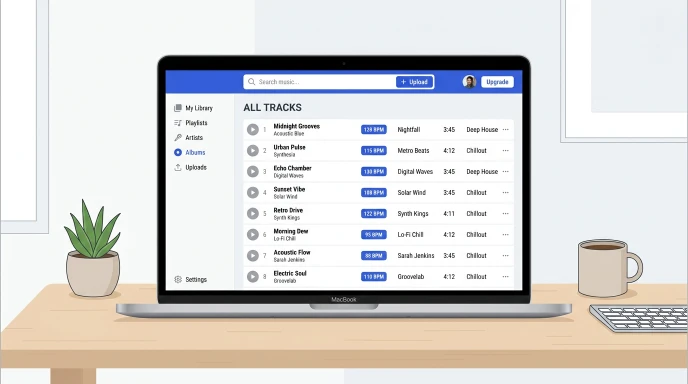
You built a solid playlist. Now every track needs a BPM number attached to it. Doing that by ear for dozens of songs eats your whole afternoon.
What Is the Fastest Way to BPM a Playlist?
Run each track through a BPM finder tool, then save the number as a file tag or inside your DJ library. The BPM stays attached to the song from then on.
What Does It Mean to “BPM” a Playlist?
BPMing a playlist means finding the tempo of every track and recording it somewhere useful.
DJs do this to build smooth sets. Producers do it to plan remixes. Runners do it to match songs to pace.
Once you have the numbers, you can sort, filter, or blend tracks by tempo instead of guessing.
Say you’re building a DJ set. You want it to start slow and build energy. Sorting tracks by stored BPM makes that order obvious in seconds.
How Do You Get the BPM for Each Song?
You have two real options.
Automatic detection. A BPM finder tool analyzes the audio and gives you a number in seconds. This is the fastest path for a full playlist.
Manual tapping. Tap along to the beat and let a tap tempo tool calculate it. This works best for tracks that confuse automatic detection, like sparse vocals or live recordings.
For a full breakdown of both methods, check our guide on how to find the BPM of a song.
Where Can You Store BPM Data?
Where you save the BPM depends on how you use your playlist.
| Storage Method | Best For | Stays With the File? |
|---|---|---|
| File tags (ID3 metadata) | Permanent library tagging | Yes |
| DJ software library | Live sets, auto-sorting | Software-specific |
| Spreadsheet | Quick cross-format reference | No |
| Playlist app notes | Casual, personal use | No |
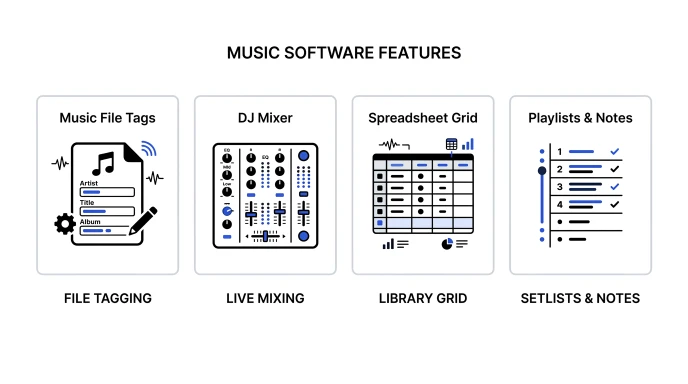
File tags travel with the song wherever it goes. Spreadsheets are easy to build but break the moment you rename a file.
Pick file tags if you want the data to survive moving folders or switching software. Pick a spreadsheet if you just need a quick reference while planning a set.
Tips for Storing BPM Data the Right Way
Tag files right after you detect the BPM. Waiting means retesting later.
Use a consistent naming pattern if you rename files. Something like track-name-128bpm.mp3 works well.
Recheck tempo after editing a track. Pitch shifts and time stretches change the BPM.
Back up your tagged library or spreadsheet regularly. Losing tags means starting over.
Sync your tags across devices if you DJ from more than one laptop. A cloud backup saves you from redoing work twice.
Common Mistakes to Avoid
Don’t trust streaming app estimates. Many platforms round BPM or skip it entirely.
Don’t skip half-time and double-time checks. A tool might read 174 BPM instead of 87.
Don’t forget remix and edit versions. A sped-up edit needs its own BPM entry.
Don’t mix tagging systems across your library. Pick one method and stick with it.
Don’t skip a final review pass. A quick scroll through your tags catches typos before a live set.
Use BPM Finder to Tag Your Playlist Fast
Manual tagging one track at a time is slow. A dedicated tool speeds up the whole playlist.
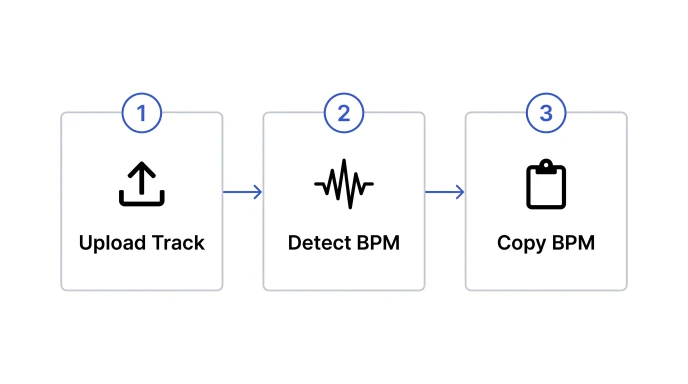
Upload each track to our BPM Finder. It detects tempo and key in seconds. Hit Copy BPM, then paste the number straight into your tag editor or spreadsheet.
Working with a track that won’t analyze cleanly? Try our BPM Tapper instead. Tap along and get a number in seconds.
Once every track is tagged, use our Metronome to practice transitions between different tempos.
Can I store BPM info in a song’s file metadata?
Yes. Most audio formats support BPM as part of their ID3 or metadata tags. Tag editing software and some DJ programs let you write the BPM directly into the file, so it travels with the song wherever you copy it.
What DJ software auto-tags BPM?
Programs like Serato, rekordbox, and Traktor detect and store BPM automatically when you import tracks. They save the number to their own library and often write it back into the file metadata too. This keeps your set organized even if you switch between programs later.
How do I BPM a large playlist fast?
Run tracks through an automatic BPM finder instead of tapping each one by hand. Batch through your files, copy each result, and paste it into your tags or spreadsheet. This turns a slow task into a quick one.
Does Spotify show a song’s BPM?
Spotify does not display BPM directly in the app. Some third-party tools and websites pull tempo data using Spotify’s audio features, but accuracy varies a lot between tracks. A dedicated BPM finder analyzes the actual audio, so it gives a more reliable number.
How accurate is a DJ software’s built-in BPM detection?
Most DJ software is fairly accurate for tracks with a steady beat. It can struggle with live recordings, tempo changes, or vocal-only sections. Cross-check tricky tracks with a separate BPM finder or tap tempo tool.
Quick Takeaway
BPMing a playlist gets easy once you skip manual guesswork. Detect each tempo fast, then store it somewhere that sticks, like file tags or a DJ library.
Try our free BPM Finder and start tagging your playlist in seconds.
Leave a Reply