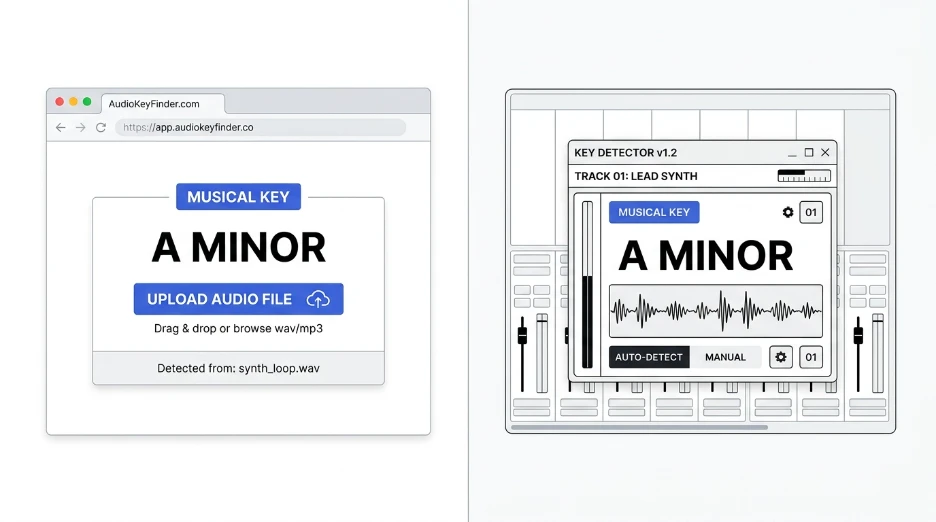
You need a song’s musical key fast. Do you open a DAW plugin, or just use a browser tool instead?
Which Is Better: Browser Key Finder or DAW Plugin?
A browser key finder wins for quick, single-file checks with no install. A DAW plugin wins when you’re tagging a full project or sample library.
What Is a Browser Key Finder?
A browser key finder analyzes audio directly on a webpage. No install, no account, no plugin setup.
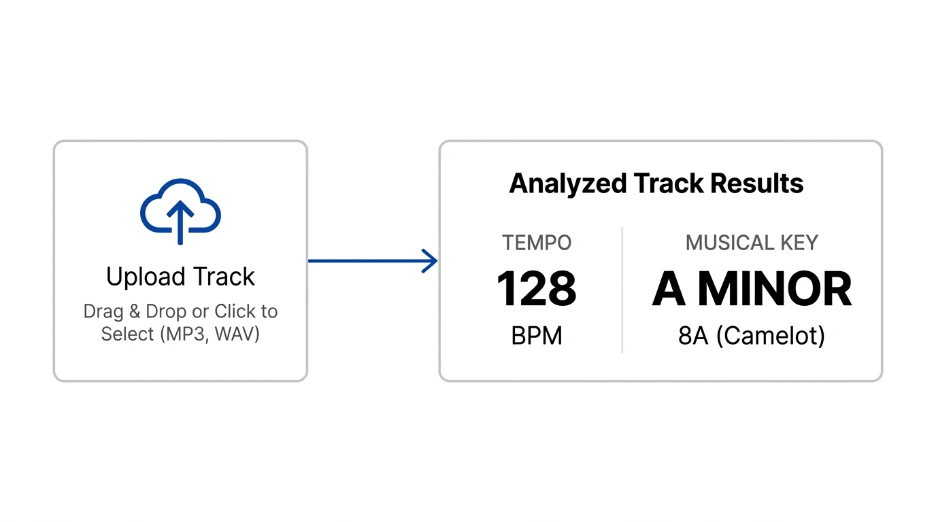
You upload a file, and it detects the musical key in seconds. Many tools also detect BPM at the same time, so you get both numbers in one pass.
This makes browser tools a good fit for quick decisions. Checking a sample before you commit to a project, or confirming a track’s key before a DJ set, doesn’t need a full production setup.
What Are DAW Plugins for Key Detection?
DAW plugins run inside your production software. Think Mixed In Key, or built-in detection in Logic, Ableton, and FL Studio.
They analyze tracks directly inside your project. Results often get written straight into your session or sample library tags.
This makes them strong for producers who tag hundreds of files at once.
A plugin also stays open alongside your project. You don’t need to switch windows or upload files elsewhere while you work.
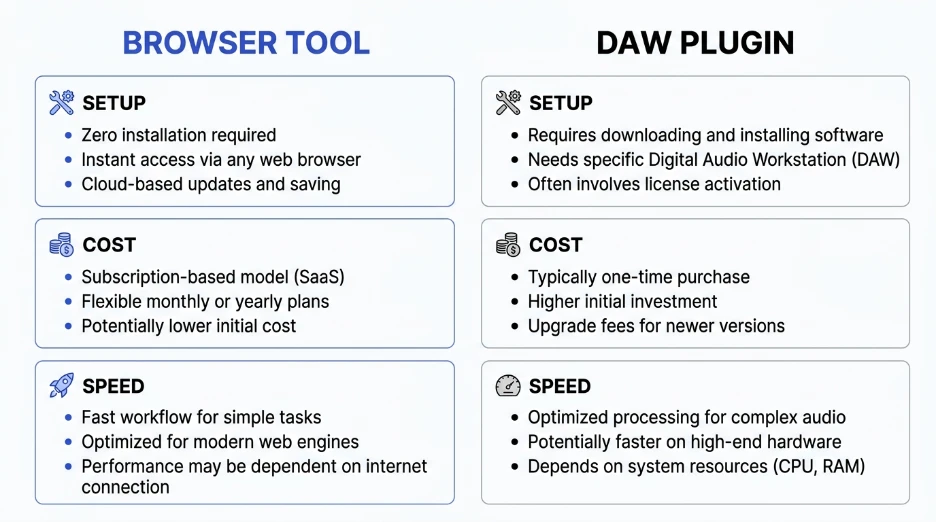
Browser Key Finder vs DAW Plugin: Side by Side
Here’s how the two options actually compare.
| Feature | Browser Key Finder | DAW Plugin |
|---|---|---|
| Setup | None, opens instantly | Install required |
| Cost | Usually free | Often paid or bundled |
| Speed for one file | Fast | Fast, but needs project open |
| Batch library tagging | Limited | Strong |
| Works outside your DAW | Yes | No |
| Best for | Quick checks, casual use | Full production workflow |
Neither option is wrong. They just solve different problems.
Think about how you actually work. A casual listener checking one song has different needs than a producer building a tagged sample library.
Tips for Choosing the Right Tool
Use a browser tool when you just need one answer fast. No need to open a whole project for a single file.
Use a DAW plugin when tagging your entire sample library in one pass.
Cross-check results on tricky tracks. Relative major and minor keys get confused sometimes.
Keep both options handy. Most producers end up using each one for different tasks.
Trust the tool’s confidence score if it shows one. Low confidence usually means a track worth double-checking by ear.
Common Mistakes to Avoid
Don’t assume both tools always agree. Minor and relative major mix-ups happen with any key detector.
Don’t skip cross-checking ambiguous tracks. A second opinion catches obvious errors fast.
Don’t pay for a plugin if you only need occasional single-song checks. A browser tool covers that easily.
Don’t ignore browser tools just because they’re free. Free doesn’t mean less accurate here.
Don’t forget key changes mid-song. Most tools return one key for the whole track, even if it shifts partway through.
Use BPM Finder for Fast Browser-Based Key Detection
Skip the install if you only need a quick answer.
Our BPM Finder detects both tempo and musical key in one upload. It runs right in your browser, so your audio stays local the whole time.
Need to check a track by ear instead, like a live recording? Try our BPM Tapper for tempo, then pair it with a key check for a fuller picture.
For more on how detection actually works under the hood, see our guide on how to find the BPM of a song.
Is a browser key finder as accurate as a DAW plugin?
Accuracy is often similar for clean, well-recorded tracks. Both analyze the audio itself using the same core signal processing ideas. Tricky tracks, like ones with key changes, can trip up either method, so cross-checking helps either way.
Do I need a DAW plugin if I just want one song’s key?
Probably not. A browser key finder handles single-file checks faster, with no install or setup. Save the DAW plugin for when you’re tagging a full project or working through a large sample library at once.
What’s the fastest way to check a song’s key without opening a DAW?
Upload the track to a browser-based key finder. Most tools return a result in seconds, without needing any software installed. This works well for quick checks before you commit to opening a full project.
Can I use a browser key finder for my whole music library?
You can, but it’s slower one file at a time. For bulk tagging across hundreds of tracks, a DAW plugin with batch processing usually saves more time than repeating browser uploads.
Do browser tools upload my files to a server?
It depends on the tool. Many modern browser key finders process audio locally on your device instead of uploading it. Check the specific tool’s privacy details if that matters for your workflow.
Quick Takeaway
Browser key finders win for speed and simplicity. DAW plugins win for deep library tagging. Pick based on the task, not just habit.
Try our free BPM Finder to get a song’s key and tempo in one quick check.
Leave a Reply