Author: John Goldberg

  • How to BPM Your Playlist and Store That Data

    How to BPM Your Playlist and Store That Data

    You built a solid playlist. Now every track needs a BPM number attached to it. Doing that by ear for dozens of songs eats your whole afternoon.

    What Is the Fastest Way to BPM a Playlist?

    Run each track through a BPM finder tool, then save the number as a file tag or inside your DJ library. The BPM stays attached to the song from then on.

    What Does It Mean to “BPM” a Playlist?

    BPMing a playlist means finding the tempo of every track and recording it somewhere useful.

    DJs do this to build smooth sets. Producers do it to plan remixes. Runners do it to match songs to pace.

    Once you have the numbers, you can sort, filter, or blend tracks by tempo instead of guessing.

    Say you’re building a DJ set. You want it to start slow and build energy. Sorting tracks by stored BPM makes that order obvious in seconds.

    How Do You Get the BPM for Each Song?

    You have two real options.

    Automatic detection. A BPM finder tool analyzes the audio and gives you a number in seconds. This is the fastest path for a full playlist.

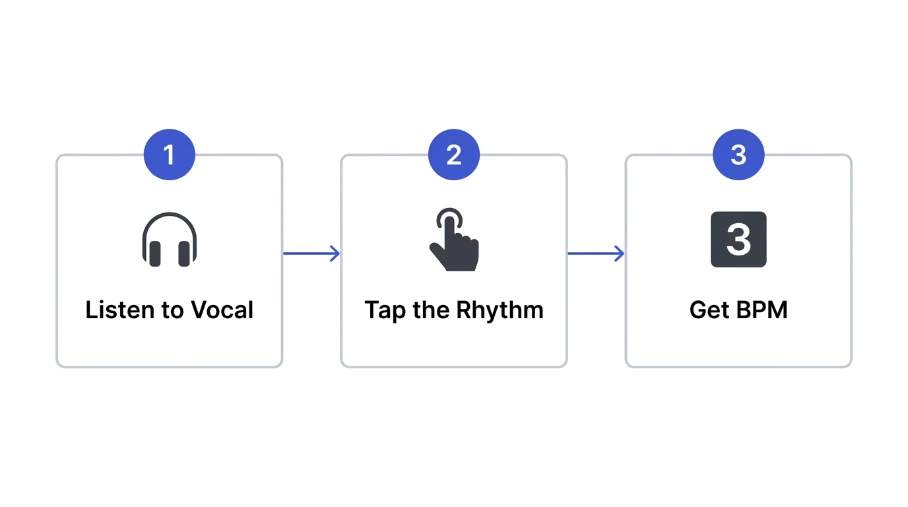
    Manual tapping. Tap along to the beat and let a tap tempo tool calculate it. This works best for tracks that confuse automatic detection, like sparse vocals or live recordings.

    For a full breakdown of both methods, check our guide on how to find the BPM of a song.

    Where Can You Store BPM Data?

    Where you save the BPM depends on how you use your playlist.

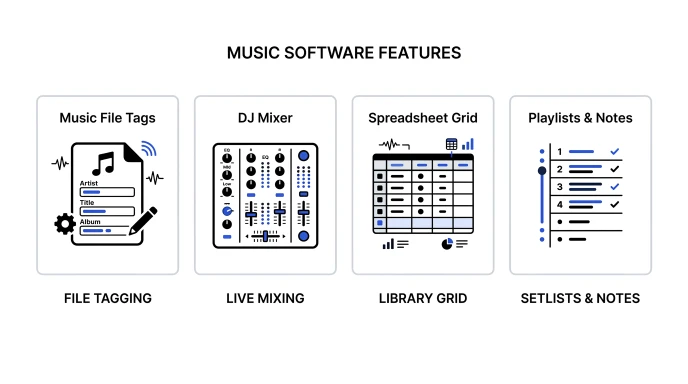
    Storage MethodBest ForStays With the File?
    File tags (ID3 metadata)Permanent library taggingYes
    DJ software libraryLive sets, auto-sortingSoftware-specific
    SpreadsheetQuick cross-format referenceNo
    Playlist app notesCasual, personal useNo
    Comparison graphic of ways to store BPM data: file tags, DJ software, spreadsheet, and playlist notes

    File tags travel with the song wherever it goes. Spreadsheets are easy to build but break the moment you rename a file.

    Pick file tags if you want the data to survive moving folders or switching software. Pick a spreadsheet if you just need a quick reference while planning a set.

    Tips for Storing BPM Data the Right Way

    Tag files right after you detect the BPM. Waiting means retesting later.

    Use a consistent naming pattern if you rename files. Something like track-name-128bpm.mp3 works well.

    Recheck tempo after editing a track. Pitch shifts and time stretches change the BPM.

    Back up your tagged library or spreadsheet regularly. Losing tags means starting over.

    Sync your tags across devices if you DJ from more than one laptop. A cloud backup saves you from redoing work twice.

    Common Mistakes to Avoid

    Don’t trust streaming app estimates. Many platforms round BPM or skip it entirely.

    Don’t skip half-time and double-time checks. A tool might read 174 BPM instead of 87.

    Don’t forget remix and edit versions. A sped-up edit needs its own BPM entry.

    Don’t mix tagging systems across your library. Pick one method and stick with it.

    Don’t skip a final review pass. A quick scroll through your tags catches typos before a live set.

    Use BPM Finder to Tag Your Playlist Fast

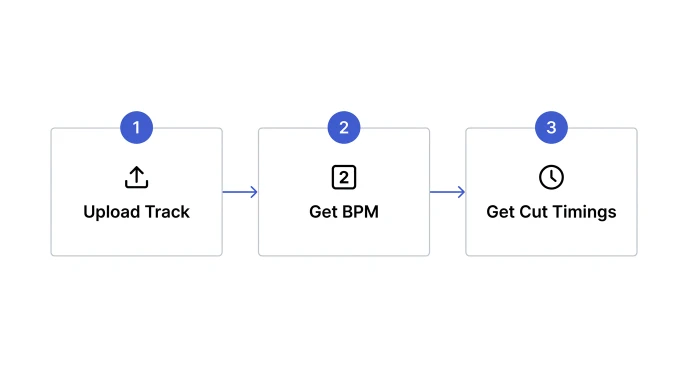
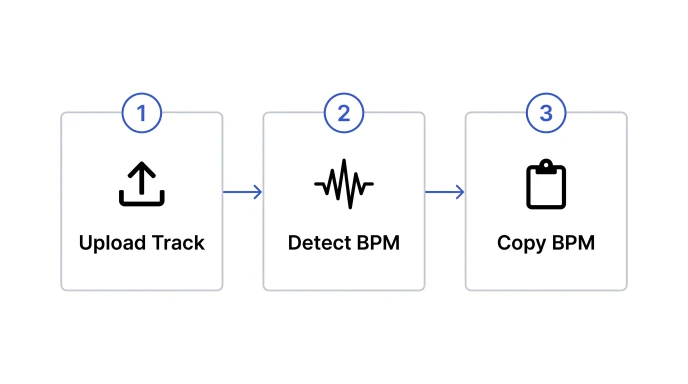
    Workflow diagram showing steps to detect a song's BPM and copy it into a tag or spreadsheet

    Manual tagging one track at a time is slow. A dedicated tool speeds up the whole playlist.

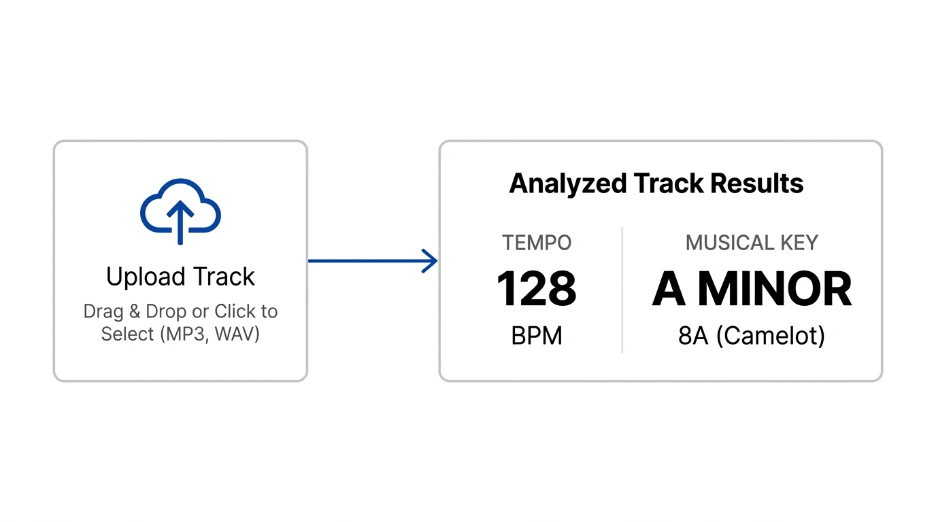
    Upload each track to our BPM Finder. It detects tempo and key in seconds. Hit Copy BPM, then paste the number straight into your tag editor or spreadsheet.

    Working with a track that won’t analyze cleanly? Try our BPM Tapper instead. Tap along and get a number in seconds.

    Once every track is tagged, use our Metronome to practice transitions between different tempos.

    Can I store BPM info in a song’s file metadata?

    Yes. Most audio formats support BPM as part of their ID3 or metadata tags. Tag editing software and some DJ programs let you write the BPM directly into the file, so it travels with the song wherever you copy it.

    What DJ software auto-tags BPM?

    Programs like Serato, rekordbox, and Traktor detect and store BPM automatically when you import tracks. They save the number to their own library and often write it back into the file metadata too. This keeps your set organized even if you switch between programs later.

    How do I BPM a large playlist fast?

    Run tracks through an automatic BPM finder instead of tapping each one by hand. Batch through your files, copy each result, and paste it into your tags or spreadsheet. This turns a slow task into a quick one.

    Does Spotify show a song’s BPM?

    Spotify does not display BPM directly in the app. Some third-party tools and websites pull tempo data using Spotify’s audio features, but accuracy varies a lot between tracks. A dedicated BPM finder analyzes the actual audio, so it gives a more reliable number.

    How accurate is a DJ software’s built-in BPM detection?

    Most DJ software is fairly accurate for tracks with a steady beat. It can struggle with live recordings, tempo changes, or vocal-only sections. Cross-check tricky tracks with a separate BPM finder or tap tempo tool.

    Quick Takeaway

    BPMing a playlist gets easy once you skip manual guesswork. Detect each tempo fast, then store it somewhere that sticks, like file tags or a DJ library.

    Try our free BPM Finder and start tagging your playlist in seconds.

  • How to Find the BPM of a Song (Fast and Accurate)

    How to Find the BPM of a Song (Fast and Accurate)

    Every producer hits this wall. You hear a track. You need its tempo now. Guessing wastes time and wrecks your mix.

    What Is the Fastest Way to Find a Song’s BPM?

    The fastest way to find a song’s BPM is an online BPM finder tool. Upload the track or paste a link. Get an accurate result in seconds.

    What Is BPM in Music?

    BPM stands for beats per minute. It measures a song’s tempo.

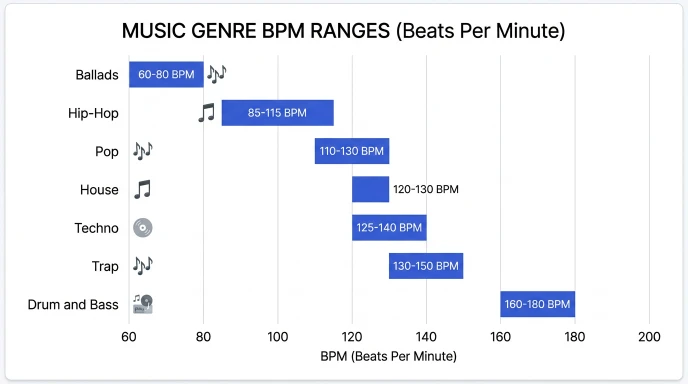
    Slow ballads sit around 60 to 80 BPM. House tracks often hit 120 to 128 BPM. Drum and bass can reach 160 to 180 BPM.

    Producers need BPM to match tracks in a mix. DJs need it to beatmatch live sets. Songwriters use it to set the right feel for a song.

    Getting the number wrong causes real problems. Loops drift out of sync. Samples clash with the beat. A quick, accurate BPM reading saves that headache before it starts.

    How Do You Find the BPM of a Song?

    There are three main ways to find a song’s BPM.

    Tap tempo. Tap along to the beat. A tool counts your taps and calculates BPM for you.

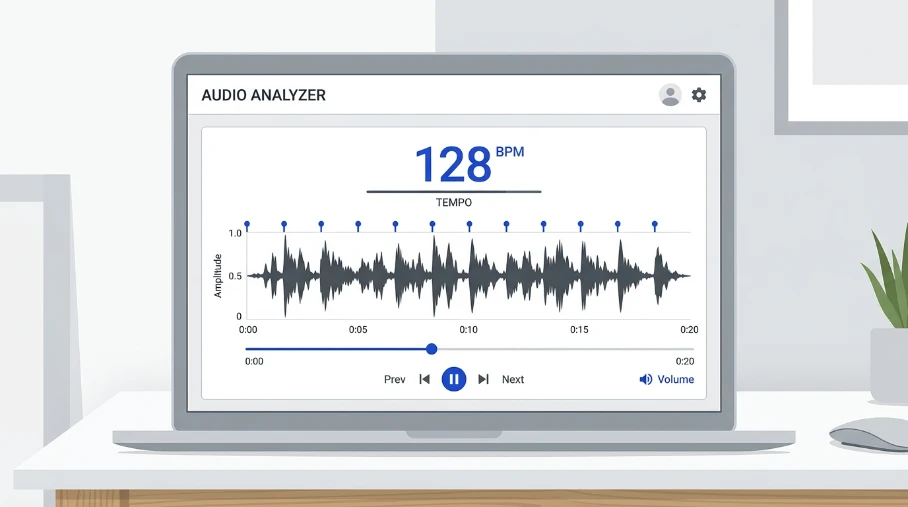
    Automatic detection. Software analyzes the waveform. It finds the beat pattern and outputs a BPM number instantly.

    Manual counting. Count beats for 15 seconds. Multiply by four. This works, but it takes time and focus.

    Automatic detection is fastest. It reads the audio directly. No counting or guessing needed.

    What Are Typical BPM Ranges by Genre?

    Use this table as a quick reference. It helps you sanity-check any BPM reading.

    GenreTypical BPM Range
    Ballads60-80
    Hip-Hop80-100
    Pop100-120
    House120-128
    Techno125-150
    Trap130-170 (half-time feel)
    Drum and Bass160-180

    If a tool gives you a BPM way outside this range, double-check it. Detection can sometimes read half-time or double-time by mistake.

    Infographic showing typical BPM ranges for music genres from ballads to drum and bass

    How Do You Convert BPM to Delay Time?

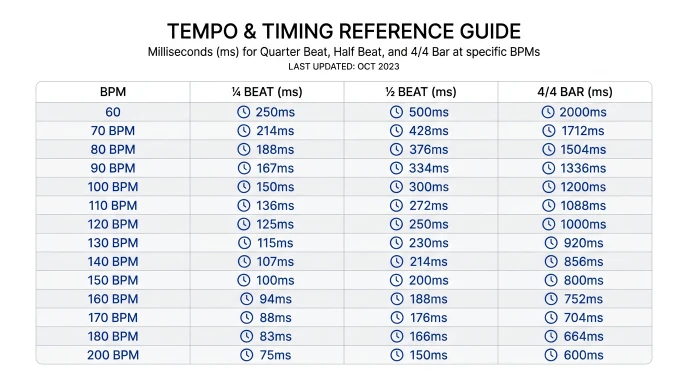
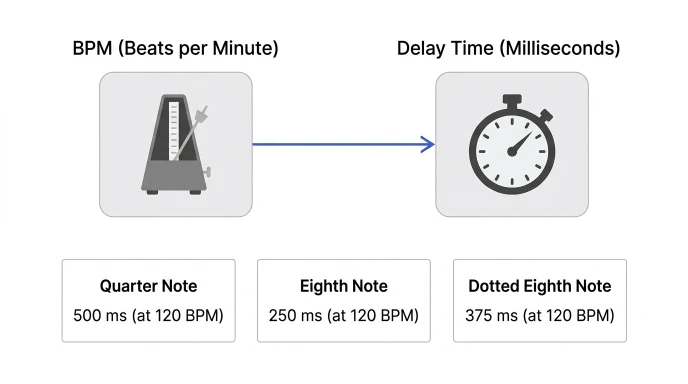
    Once you know the BPM, you can calculate delay and reverb times for mixing.

    Use this formula: 60,000 divided by BPM equals a quarter note in milliseconds.

    Note ValueFormulaExample at 120 BPM
    Quarter note60000 ÷ BPM500ms
    Eighth note30000 ÷ BPM250ms
    Dotted eighth45000 ÷ BPM375ms

    Skip the math. Use our Delay & Reverb Calculator to get exact times instantly.

    Diagram showing how to convert BPM into delay and reverb time in milliseconds

    Tips for Accurate BPM Detection

    Use a clean audio file. Background noise throws off detection.

    Isolate the beat when you can. Vocal-only tracks confuse most detectors.

    Watch out for pitched-up samples. Pitch shifting changes the BPM reading. Slow the sample back to its original speed first.

    Double-check half-time and double-time readings. Some tools read 140 BPM as 70 BPM. Trust your ears too.

    Trim silence from the start of the file. Dead air at the front can throw off detection before the beat even begins.

    Common Mistakes to Avoid

    Don’t trust one tool blindly. Cross-check with a second method when the track matters.

    Don’t ignore tempo changes. Some songs shift BPM mid-track, especially live recordings.

    Don’t skip the tap test. Tapping along confirms what the software finds.

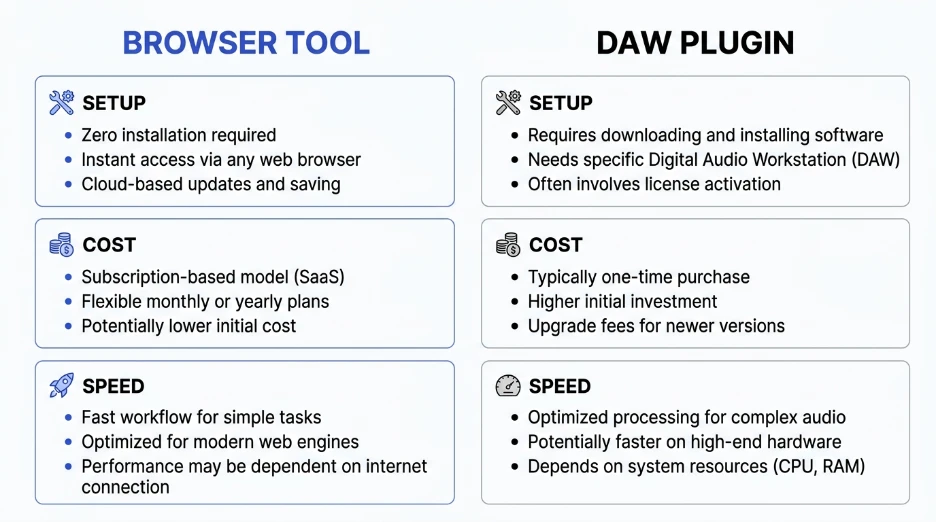
    Don’t rely on old desktop software alone. Browser tools update faster and skip the install.

    Use a Free BPM Finder Tool

    Manual counting is slow. Tapping takes practice to get right.

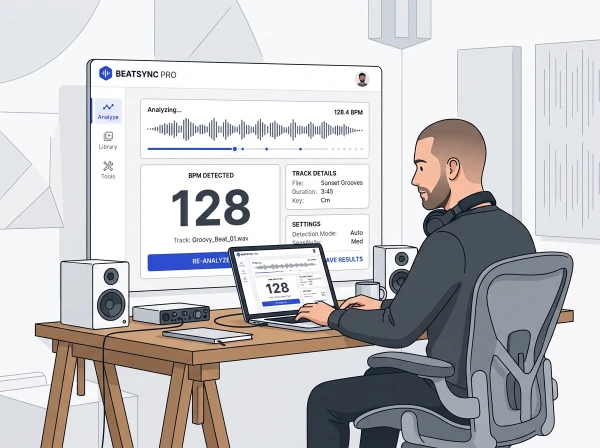
    A dedicated BPM finder tool skips both. Upload your track or paste a link. Our BPM Finder detects tempo in seconds. It works for full songs, samples, and loops.

    Prefer to tap it out by hand? Try our BPM Tapper. Tap along to any beat and get an instant reading.

    Need to practice locking into a tempo? Our Metronome keeps you on beat at any BPM.

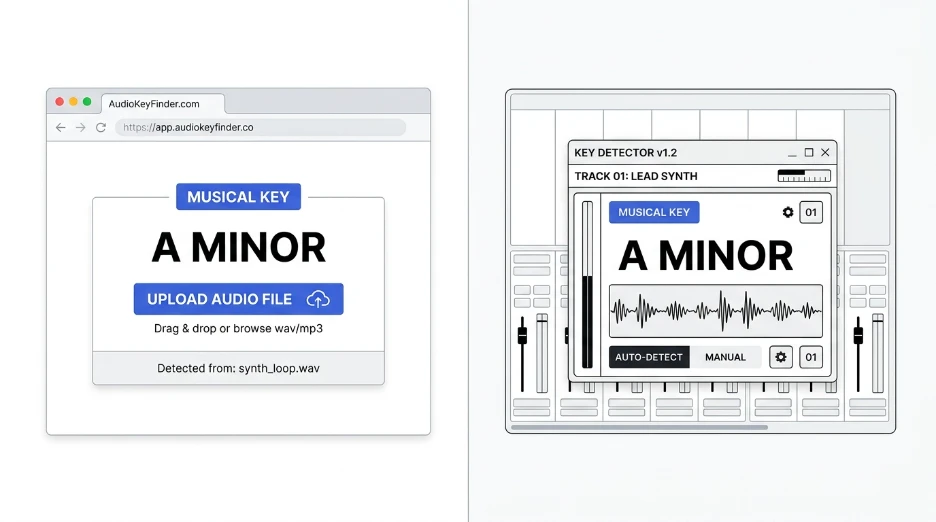
    Think of it as a producer’s version of Shazam. Instead of just naming the song, it gives you BPM and key. It works like desktop apps such as KeyFinder, but runs right in your browser. No install required.

    FAQ

    What is the most accurate BPM finder?

    The most accurate BPM finders analyze the full waveform, not just volume peaks. Look for tools built for music production, not generic audio players. Cross-check results with a manual tap test on tricky or live tracks for the best accuracy.

    Is there an app to detect the BPM of a song?

    Yes. Many apps and web tools detect BPM automatically. Browser-based tools tend to work fastest since they need no download. Upload the file or paste a link, and you get a BPM reading in seconds.

    How do I find the BPM of a sample I pitched up?

    Slow the sample back to its original pitch first. Pitching a sample up raises its BPM reading too. Detect the tempo at the original pitch, then adjust the number for your pitched-up project version.

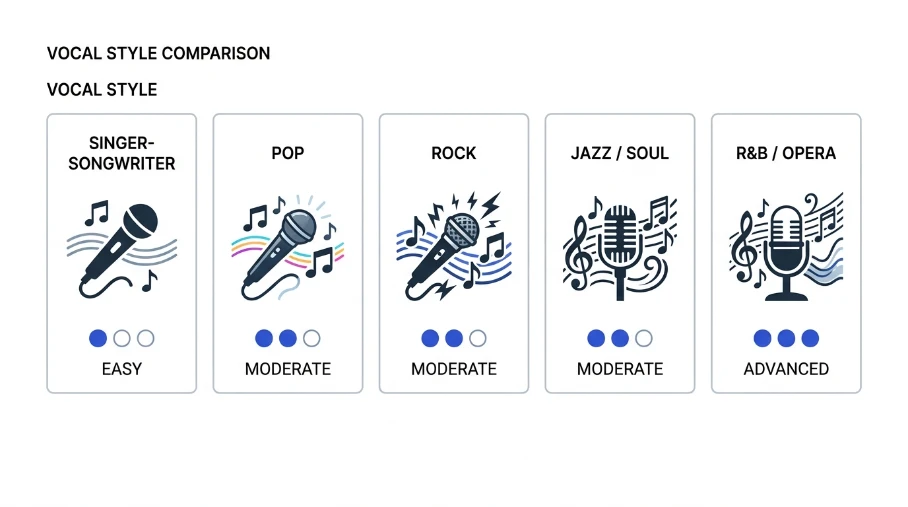
    How do I find the tempo of a vocal-only track?

    Vocal-only tracks lack a strong beat. Tap along to the natural rhythm of the vocal instead. A tap tempo tool gives you a reliable BPM without needing drums or bass to lock onto.

    Can you estimate BPM just by listening?

    Trained ears can estimate BPM within a few beats. Tap along and count for 15 seconds, then multiply by four. This works in a pinch, but a BPM finder tool is faster and more precise.

    Quick Takeaway

    Finding a song’s BPM does not need to be hard. Use an automatic tool for speed. Use tap tempo for tricky or live tracks. Cross-check both when accuracy really matters.

    Try our free BPM Finder now and get your tempo in seconds.